






Photo editing with text descriptions

Transform your personal photographs using a simple text description. Provide a photo and specify the desired changes to receive an updated image tailored to your vision.

from 10 coins per imageCoins come back if it fails

Examples

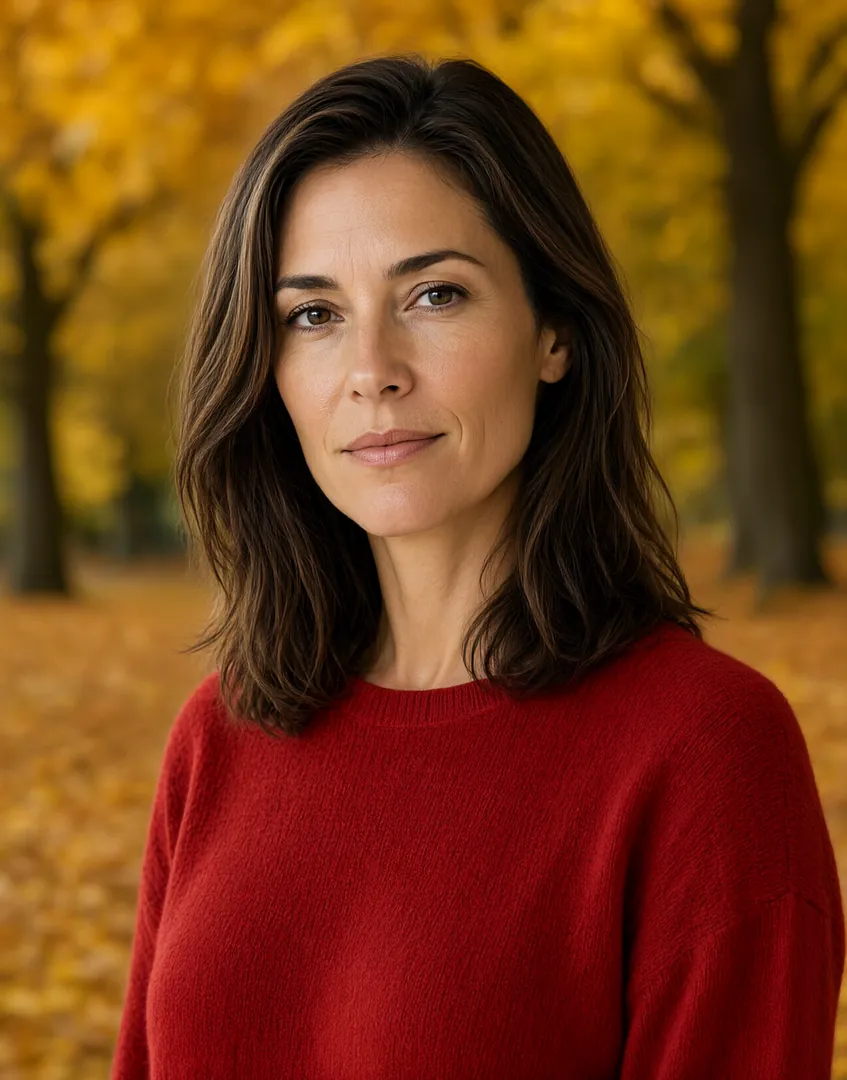
  • The same woman in a red sweater in an autumn parkBefore
    The same woman in a red sweater in an autumn parkAfter
  • The mug on a wooden table with coffee beans and a croissantBefore
    The mug on a wooden table with coffee beans and a croissantAfter

How it works

  1. Upload your photographSelect the image you wish to modify and prepare it for processing.
  2. Describe your adjustmentsWrite a clear text description outlining the specific changes you require.
  3. Receive the modified imageYou receive the updated photograph, reflecting the requested changes.

How much it costs

from 10 coins per image

Coins come back if it fails

What it can do

  • Text-based photo modificationSpecify specific changes through written instructions rather than manual tools.
  • Support for portrait photographyYou can edit portraits, group photos, and personal shots.
  • Direct image outputReceive a single edited photograph that incorporates all requested alterations.
  • Intuitive editing workflowCombine a visual reference with descriptive text to achieve clear visual results.

Transform photographs through written instructions

You provide a single photograph alongside a clear text description. This combination allows you to direct every visual change using simple text inputs. The written instructions act as a guide for the final result. You describe the adjustments you envision, and the updated image reflects those specifications. This approach removes the need for manual brushwork or layer management. You focus on your creative vision while the final output adapts to your requirements. The process remains straightforward, allowing you to experiment with different descriptions until the photograph fits your expectations.

Refine portraits and personal images

Photographs featuring people are supported, making this method suitable for personal portraits and group shots. You specify changes that affect the overall composition, background elements, or lighting conditions. The text description guides every modification, shaping the final output according to your intended direction. You receive a single edited image that incorporates all requested alterations. This method simplifies the revision process, as you communicate changes directly through text. The resulting photograph incorporates the requested changes while keeping the core visual intact. You control the creative outcome through clear, descriptive language.

Questions and answers

What format should the text description take?

Provide clear instructions outlining the specific changes you want applied to the photograph. Use descriptive language to define colors, lighting, composition, or object placement.

Does the workflow support images with people?

Yes, photographs featuring individuals are supported. You can specify adjustments that affect portraits, groups, or personal shots.

How many images appear after processing?

You receive a single edited photograph. The output incorporates all modifications described in your text prompt.

Can I modify background elements only?

You can direct changes to any area of the photograph. Specify background adjustments, lighting shifts, or compositional changes through your text description.

What happens if I change the text description?

The updated photograph regenerates based on the new instructions. You can refine the description repeatedly until the result aligns with your vision.

Before each run with photos of people you confirm that the people in it agree. If that turns out to be untrue, you are responsible.

TermsRecognised yourself? Let us know

Everything is ready to go.

    Necessary cookies keep the site working. With your consent we also use analytics (Yandex Metrica and Umami on our own server) and advertising (VK Ads pixel). You can change your choice any time via "Cookie settings" at the bottom of the site. Learn more